
It keeps working after you close the laptop.
Foxwarm runs your AI agents on a server you own. One task can run for days, spread across your machines, and report back wherever you are: in the browser, on your phone or in your team’s group chat.
curl -fsSL https://foxwarm.net/install-foxwarm.sh | bashLinux x64 (including WSL) and macOS arm64. Downloads a prebuilt release and starts it in the background, using tmux when available. Includes .NET when no compatible runtime is installed. Packages and requirements
irm https://foxwarm.net/install-foxwarm.ps1 | iexWindows x64, in PowerShell. Downloads a prebuilt release and runs it in the background. A Windows desktop app is also available. Packages and requirements
docker run -d --name foxwarm --init -p 3001:3001 \ -v "$PWD/foxwarm-data:/data" ghcr.io/550w-host/foxwarm:latestLinux x64 with Docker. Runs the published image with Chromium and Node.js included; data stays in foxwarm-data. Packages and requirements
- laptop
You ask:
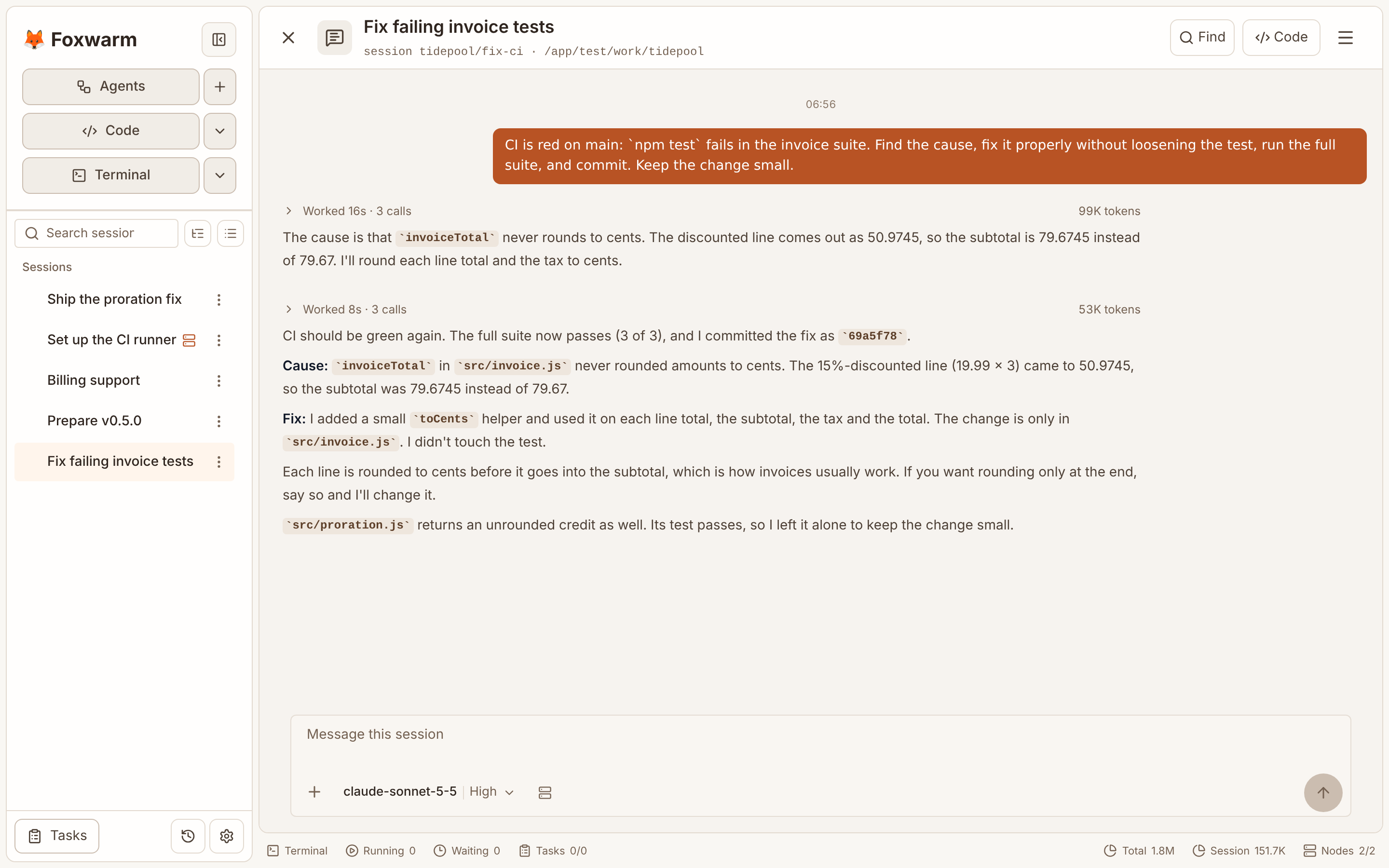
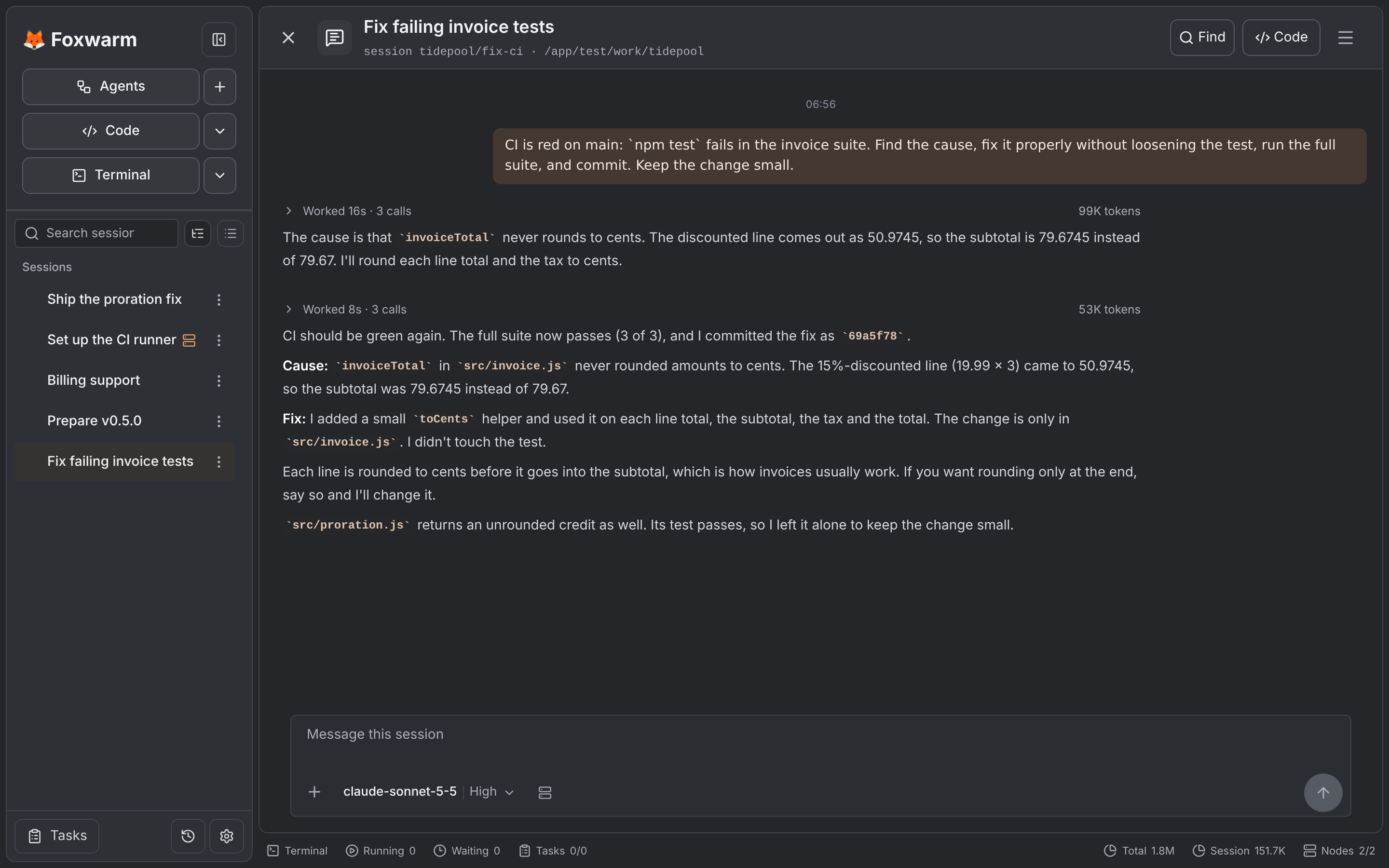
CI on main is red. Find out why and fix it.
- build-box
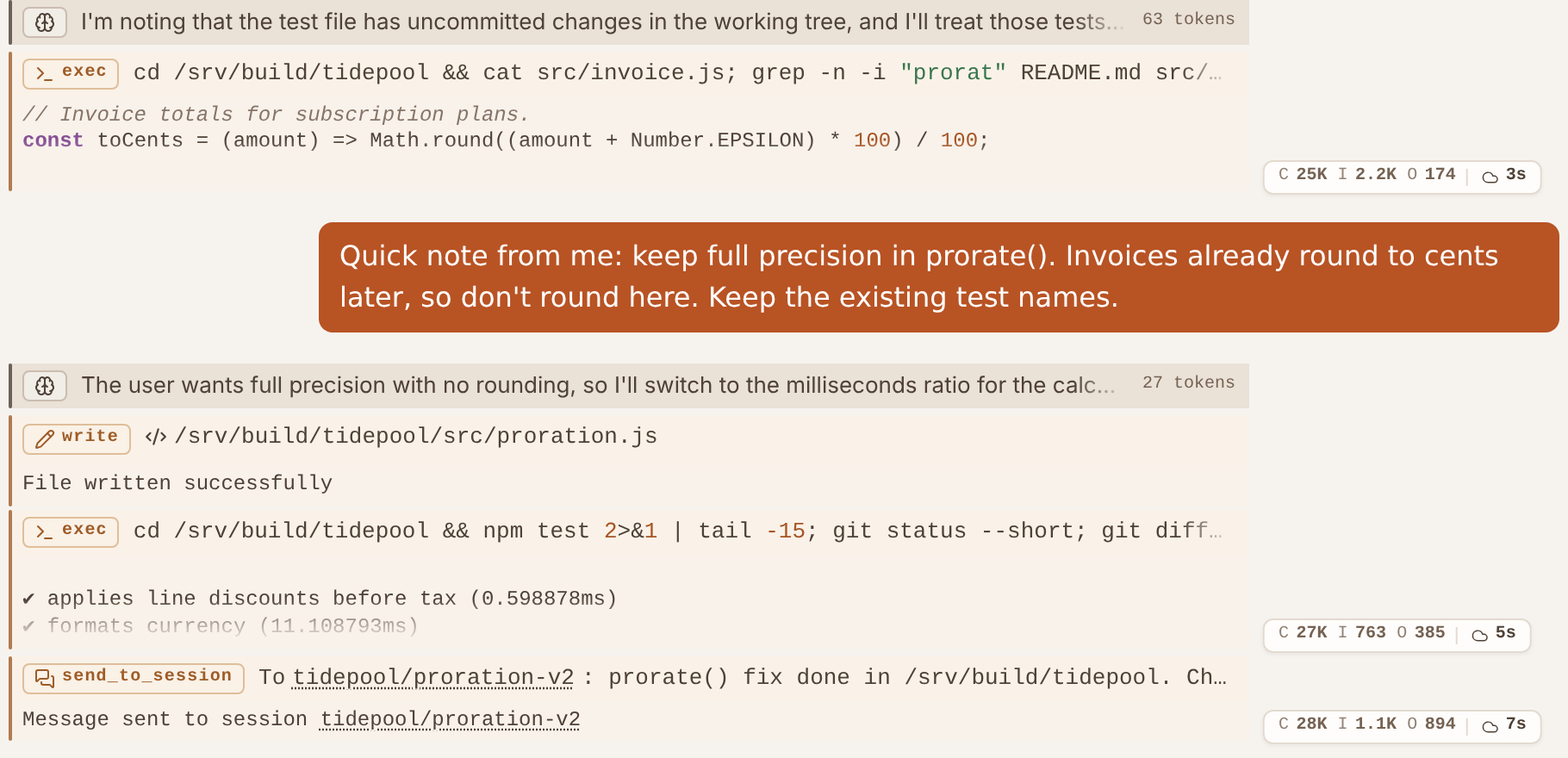
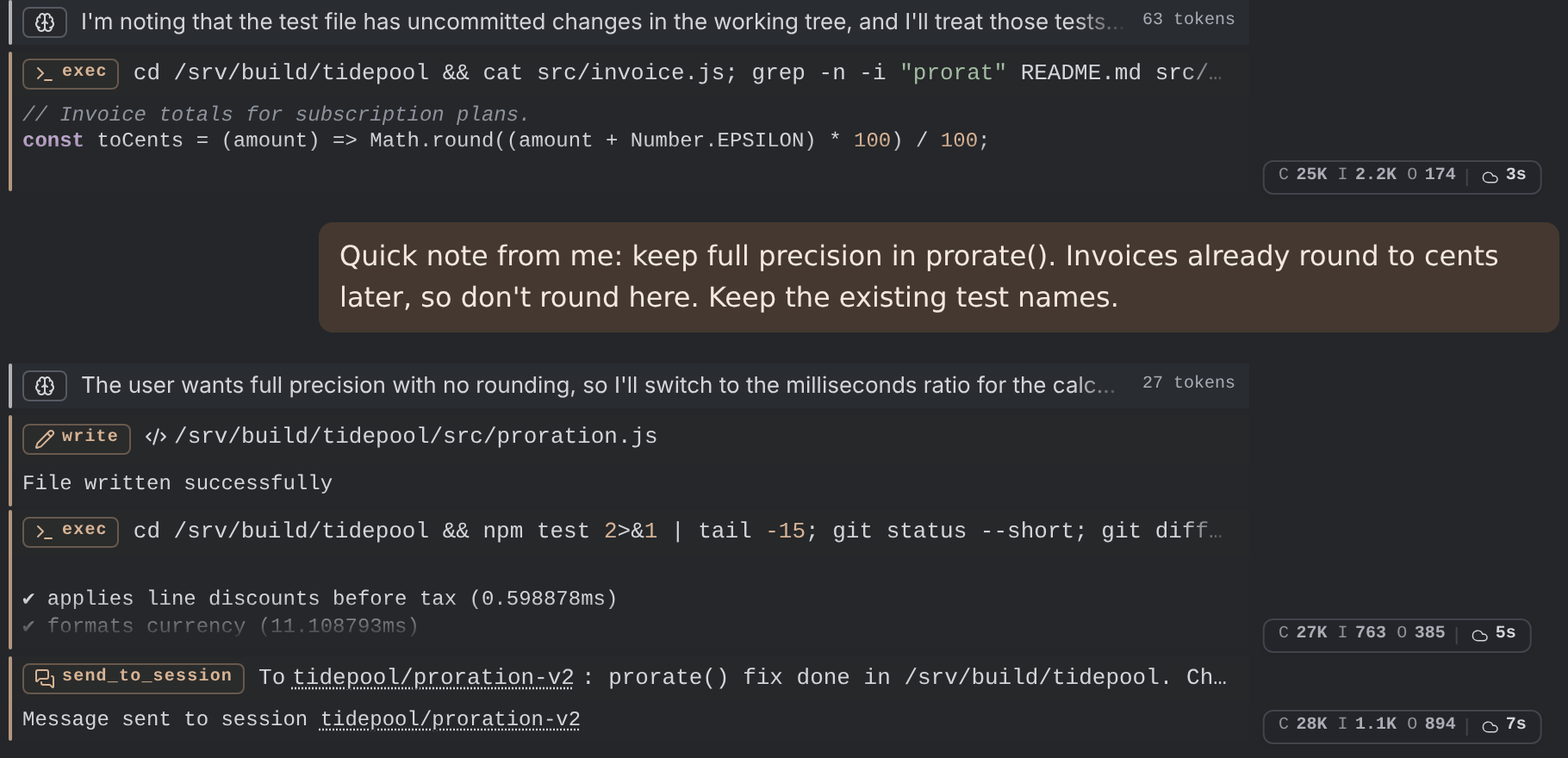
It hands the test run to a child session, which runs the suite on your build server.
You close the laptop and go to a meeting. The work carries on.
- phone
You open the child session on your phone and steer it:
Keep full precision in prorate().
- team chat
It posts a two-line summary in your team’s group. A colleague asks a follow-up; it answers from the full history.
- OpenAI-compatible APIs
- Anthropic
- Local gateways
- MCP
- Telegram
- Matrix
- WeCom
01Long-running sessions
Long conversations stay sharp.
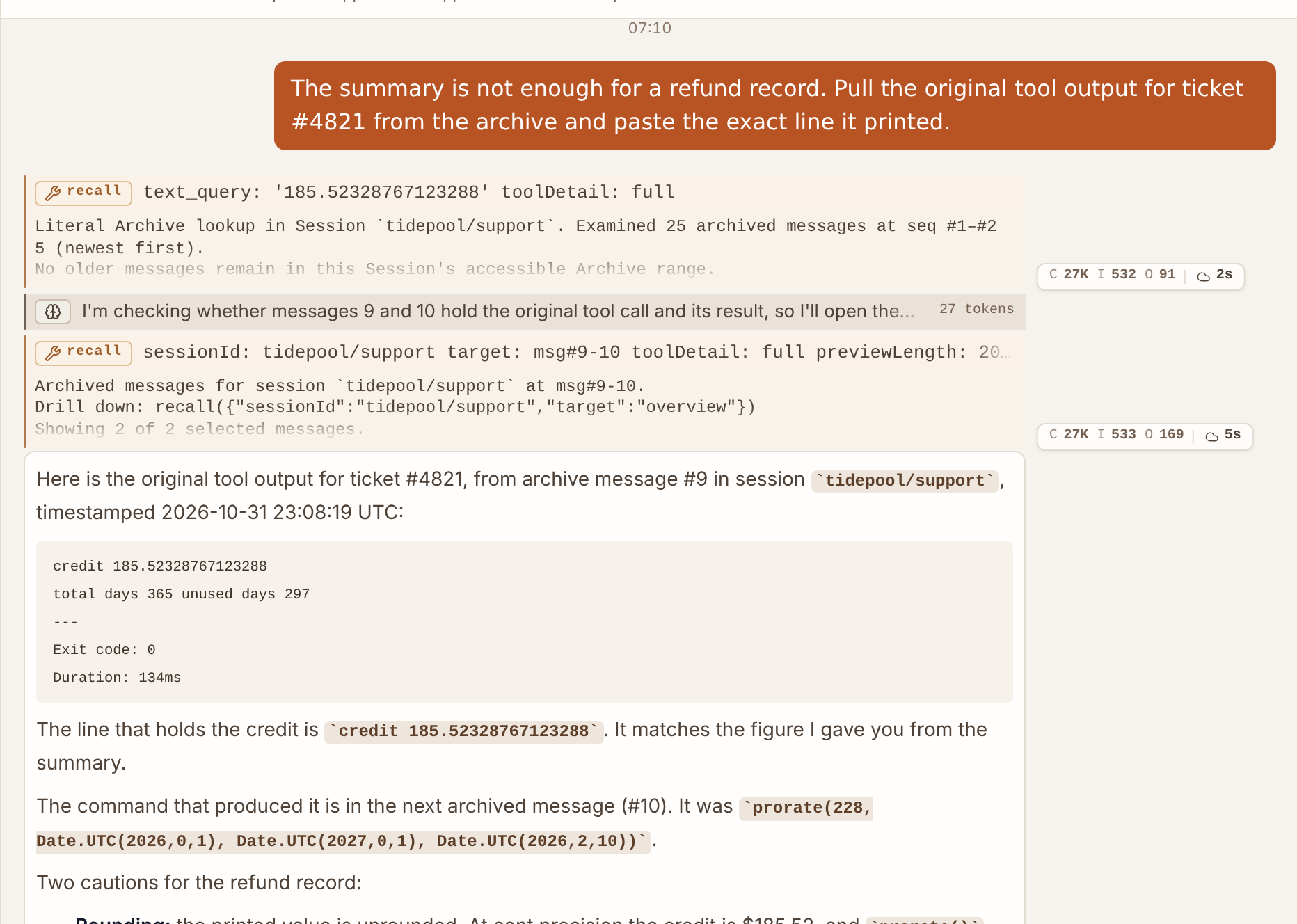
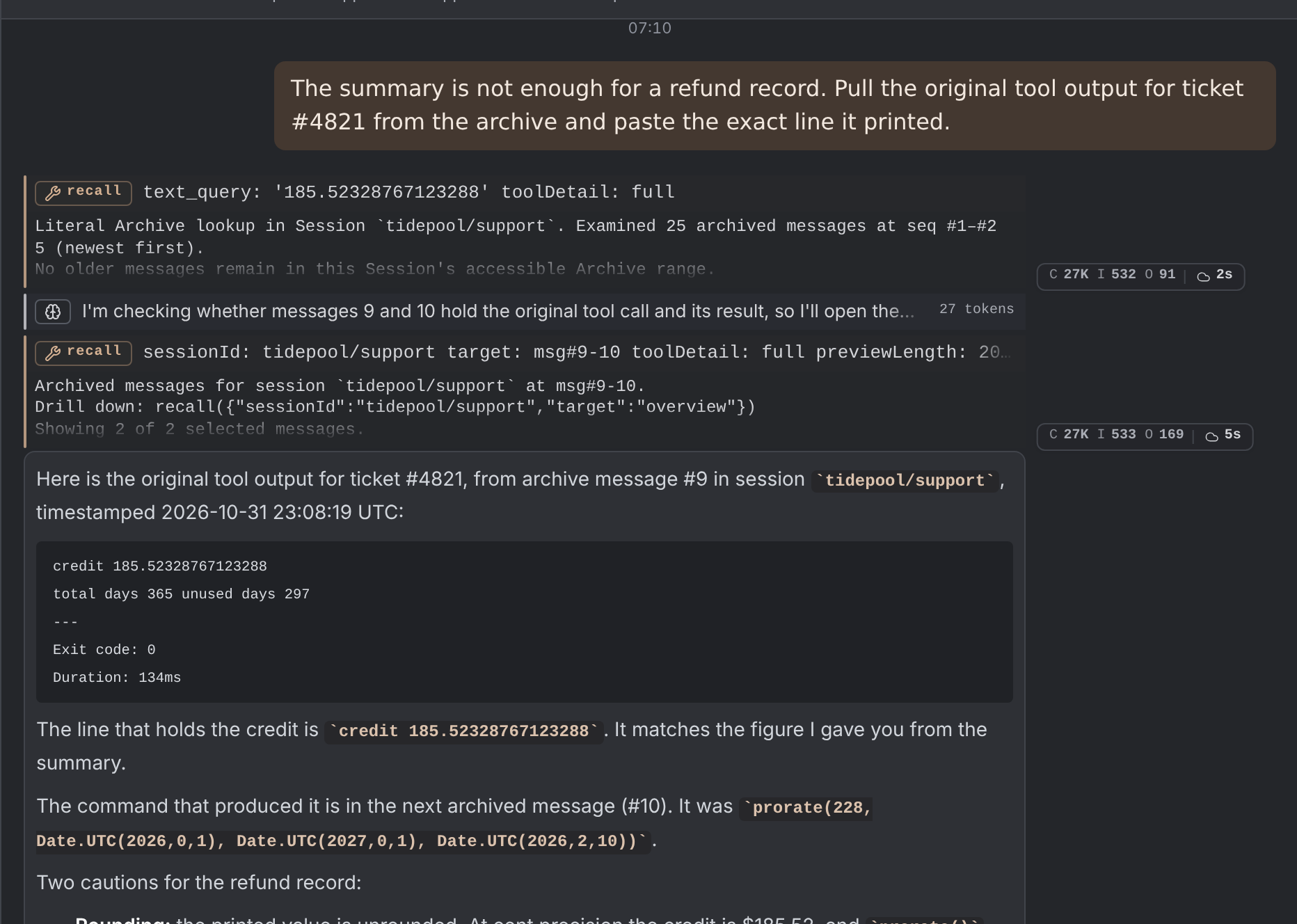
When a session nears the model’s context limit, Foxwarm compacts older turns into layered summaries instead of dropping them. The original messages stay in the archive, and the agent can pull back the exact text when a detail matters again. Sessions also survive restarts.
- Layered summaries that point back to their sources
- Exact recall of archived messages
- Optional semantic search across past sessions
02Brain and hands
One brain. As many hands as you need.
The agent loop, memory, models, Skills and MCP connections live on your Foxwarm server, configured once. Nodes are the hands: a build server, a laptop, a container or a browser tab that receives commands and sends results back. Adding a machine means running a small client — no API keys, Skills or MCP setup on every box.
- Models, Skills and MCP configured in one place
- Lightweight Nodes on Linux, macOS, Windows, Docker and the browser
- Move a session to another machine; the conversation stays put
- Session runner
- Memory & history
- Models
- MCP servers
- Skills
build-boxLinux serverdana-laptopWindowssandboxDockerbrowserBrowser Node
No API keys on Nodes
When you need tighter control
- Keys stay with the brain
- Agents can be configured to use models and MCP tools normally without ever being able to read their credentials.
- Rules per agent
- Allow or deny tools and Nodes for each agent, on top of the instance-wide authorization rules.
- Agents that organize themselves
- An agent can create sub-agents and give each one part of its Nodes and permissions. No level can exceed what it was given.
03Sessions and agents
Delegate to a team you can see into.
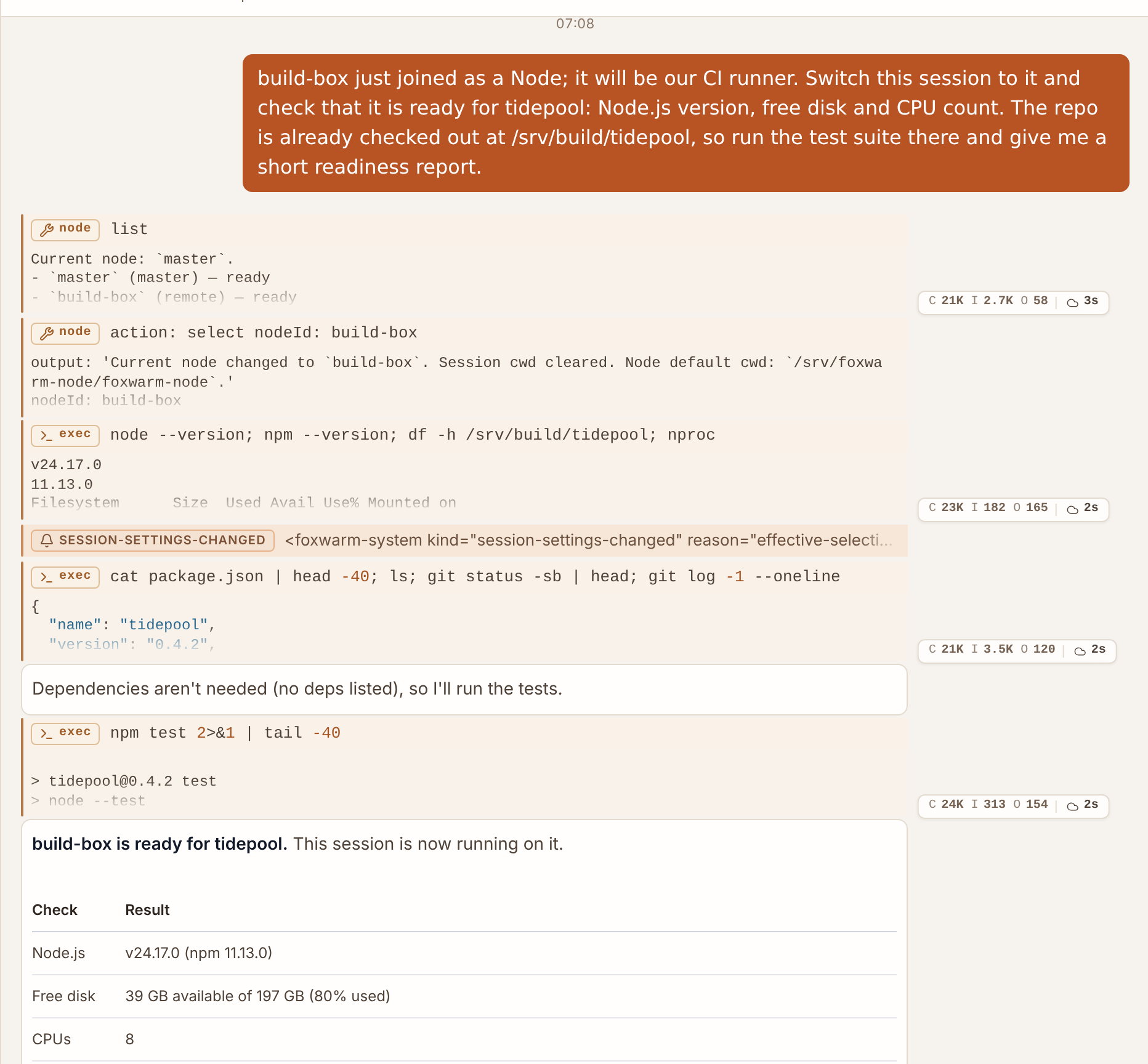
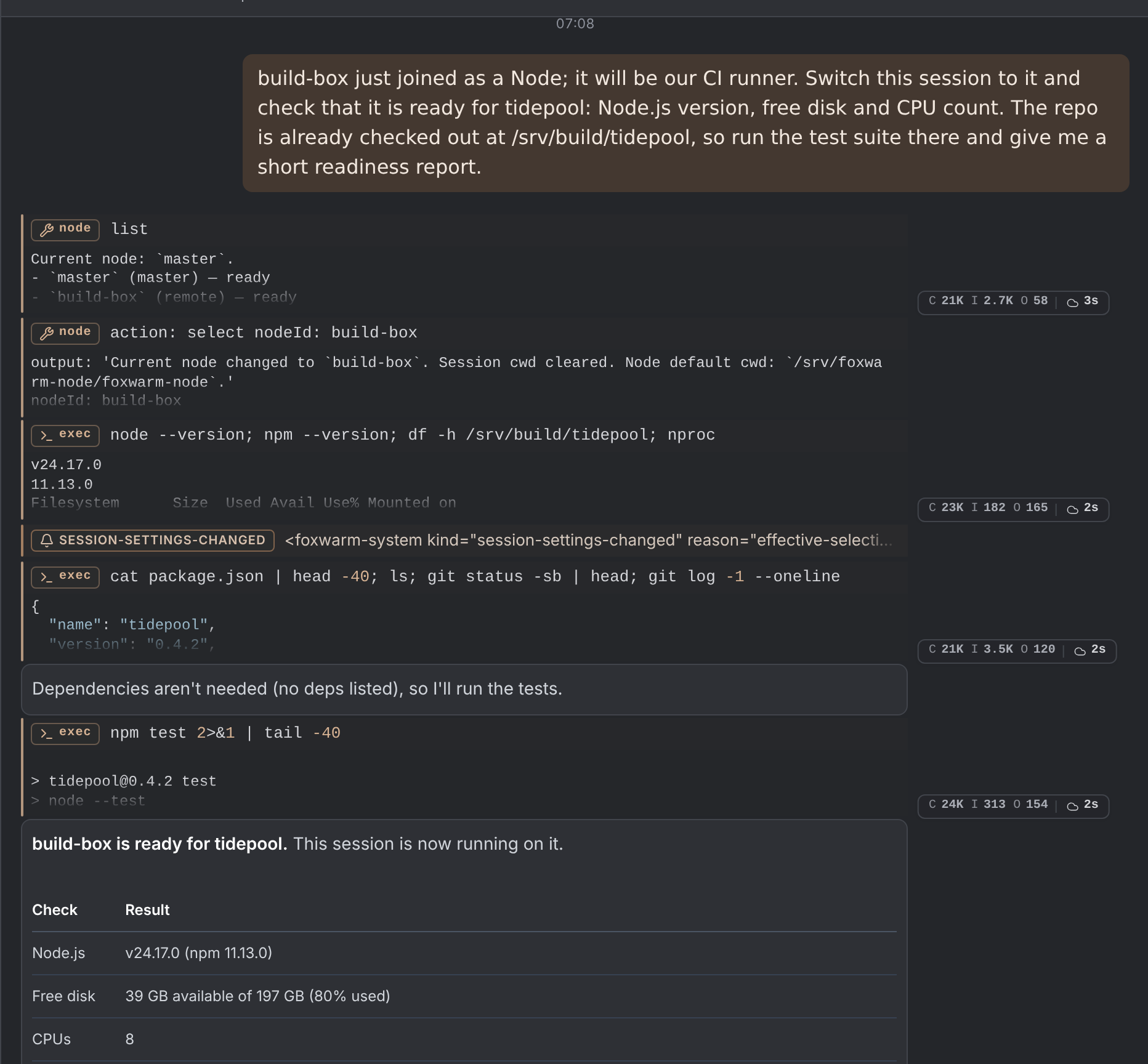
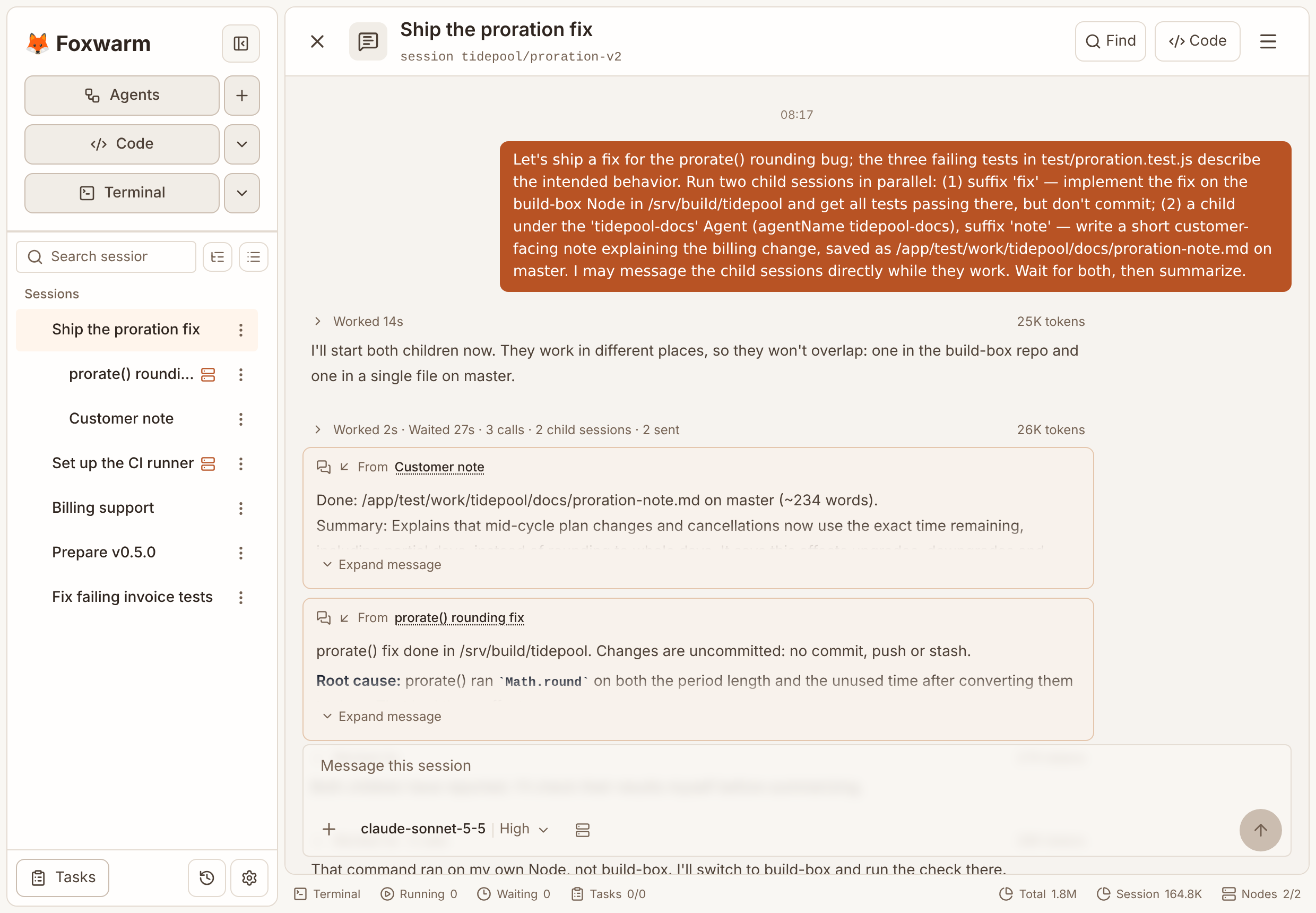
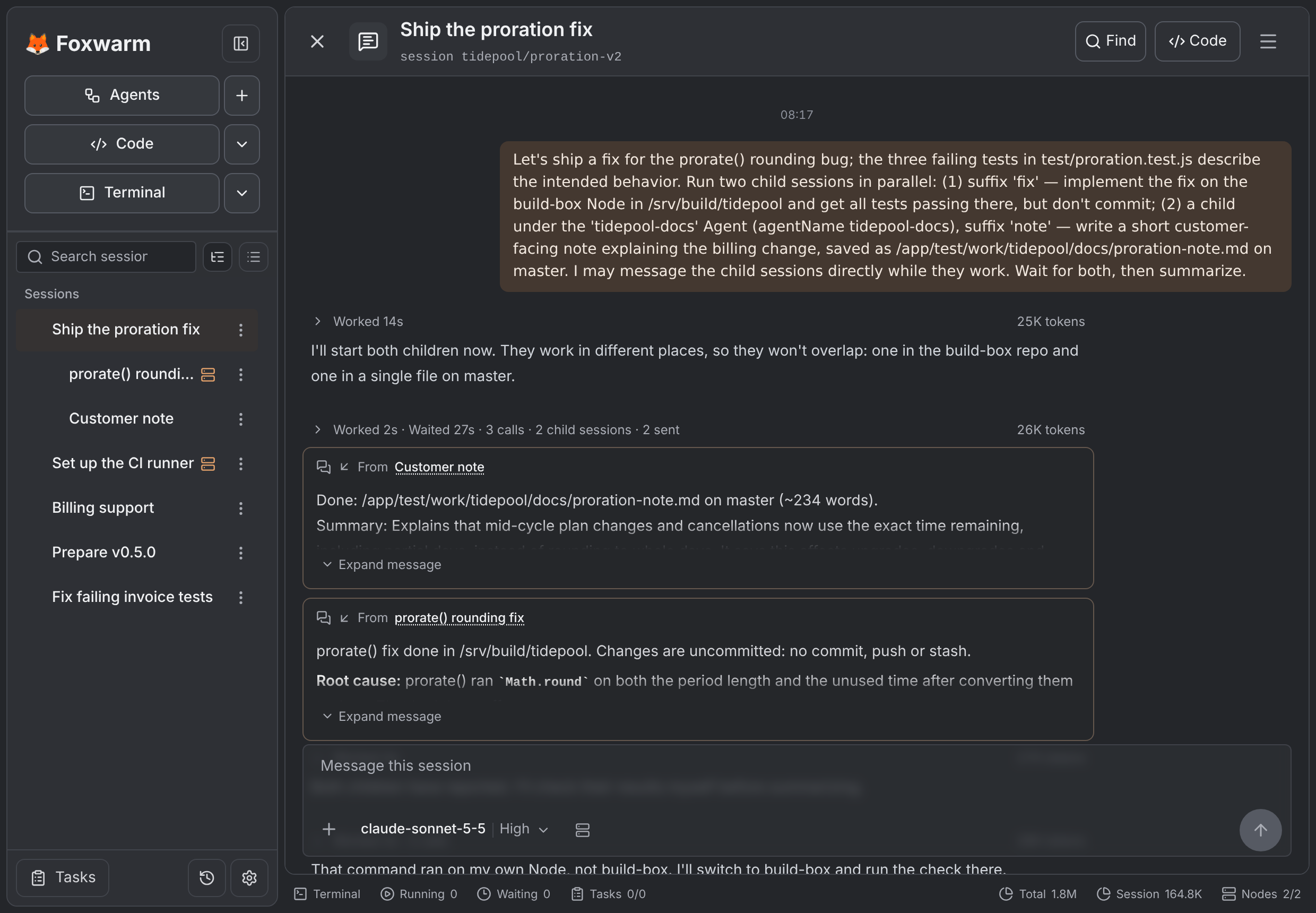
When an agent hands off a task, the work runs in a real session: it keeps its own history, survives restarts and sits under its parent in the sidebar. Open any of them to see what it is doing, or message it directly to change course. Work can also go to another agent with its own memory, rules and machines.
- Every delegated task is a full session you can open and steer
- Hand work to a different agent, not just a copy of the same one
- Agent and Node trees where each level can only narrow what it was given
04Channels
Work it out here. Explain it in the group.
/attach tidepool/proration
Attached to “Ship the proration fix”.
@foxwarm Give everyone a two-line summary of the proration change.
prorate() rounded unused time to whole days, so a plan change at noon could credit half a day too much. It now uses the exact time, and all six tests pass on build-box.
Does this change credits for switches at midnight?
No. A switch at midnight is a whole number of days, so the credit is exactly the same as before.
Any chat can be attached to any session. Work through a problem in the WebUI, add the bot to your team’s group and run /attach: it answers with the full history behind it, and anyone in the group can ask a follow-up. Works with Telegram, Matrix, QQ, WeChat and WeCom.
- /attach connects a chat to an existing session
- The agent sees who is asking and keeps the whole context
- Sender allow lists; open a group to everyone while commands stay restricted
Everything an agent needs, in one place.
- Terminal and editor
- Real terminals run in the browser next to the conversation, with an optional VS Code–based editor.
- Agent memory
- Each agent keeps long-lived instructions and knowledge separate from any single conversation.
- Skills
- Write a workflow once as a Skill; the agent loads it only when a task needs it.
- Any model
- Use OpenAI-compatible or Anthropic endpoints, including local gateways, and pick a model per session.
- ToolScript
- Let an agent combine many tool calls in one small script instead of many round trips.
- Timers
- Give a session one-off or recurring timers so it checks in, reports or follows up on its own.
Up and running in a few minutes.
Install
Run the installer for your platform. It downloads a release, starts Foxwarm and prints a sign-in link for the WebUI.
Add a model
Open Setup → Models and enter your provider, model ID and API key.
Start a session
Chat with the default agent, give it a working directory, and add Nodes or Channels whenever you need them.
Program files and data live in separate directories, so upgrades and backups stay simple. Full installation guide →